Luney.
Finally, a space that feels like home.
We’re tired of the bots, the chasers, and the unmanaged chaos of big tech. That’s why I built Luney, a social sanctuary designed specifically for the LGBTQ+ community, by the community.
Whether you’re looking for a Quiet Zone to reflect or a high-energy hub to find your next gaming squad, Luney adapts to your headspace. No noise, no pressure. Just us.
Screens
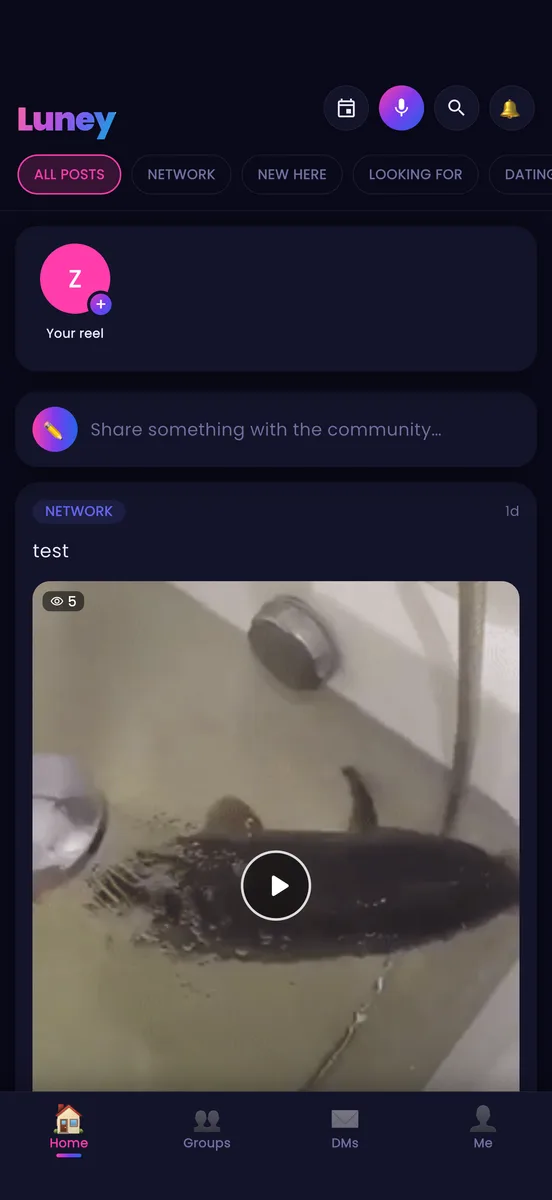
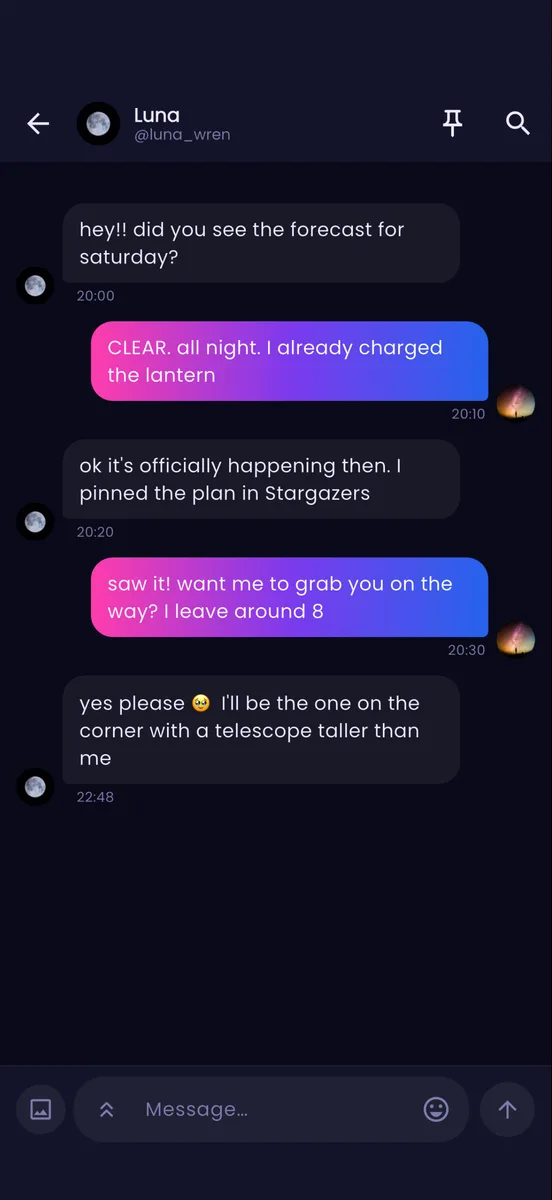
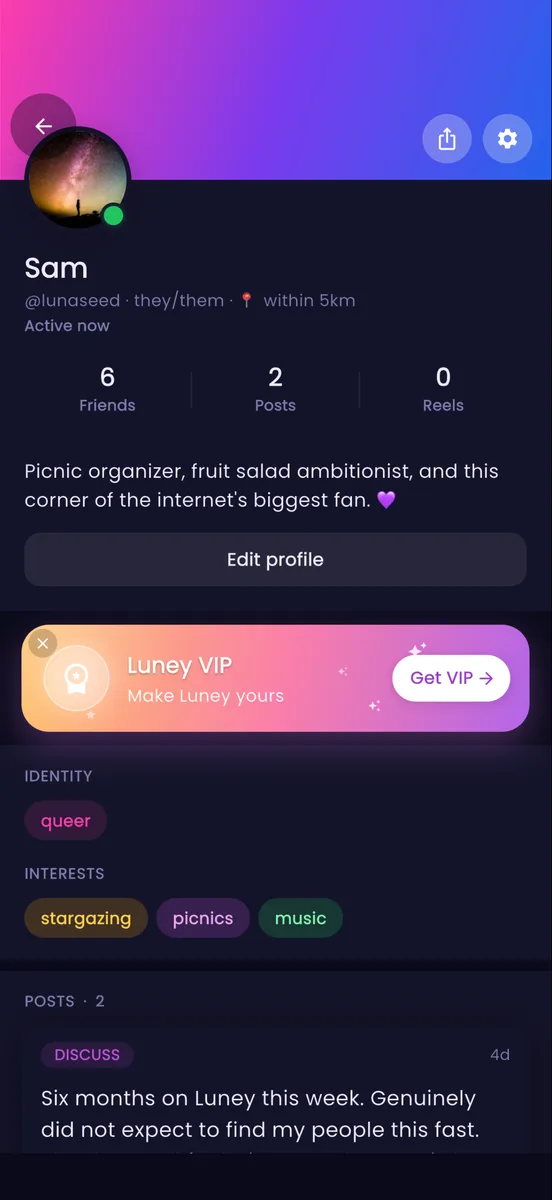
Features
-
Total privacy
You control who sees your world with public, private, and friends-only posting.
-
No noise
Advanced moderation tools to keep the bots and chasers out.
-
Your vibe, your rules
Switch between high-energy social feeds and minimalist quiet zones when you just need a break.
Changelog
-
1.4.0 Find help near you, link previews, and a profile worth looking at
Find help near you is a directory of LGBTQIA+ crisis lines, clinics, housing, legal help and community spaces, country by country, every one checked by a person and kept on your phone so it works without signal. Links in chats now show a preview card that Luney fetches for you, so your phone never touches the link until you tap it. Your profile has been rebuilt around one card, groups can show how many people are around, and the privacy screen turns your settings into plain sentences and shows you your own profile the way a stranger sees it.
- Find help near you: a directory of LGBTQIA+ crisis lines, clinics, housing, legal help and community spaces, country by country, every one checked by a person. Settings > Safety, or the new card on Home. It works without signal: the list is kept on your phone and refreshes when you have one.
- Each place says whether it is open right now, with one-tap Call, Text, Chat, Website and Directions buttons where the place offers them, a short "What to expect" note about a first visit, and the ages it serves. A text line or web chat that keeps different hours from the phone line says so for each, and a phone line that costs money to call says that too, in the service's own words when it gave them. Search also finds topics like HRT or name change, and a place can carry a description in your language.
- Switch to Map to see the world, tap a country, then a region, and see a pin for each city. Pinch to zoom, tap a pin to open the place. The map is drawn by the app; no map service is involved.
- Save places to a list that stays on your phone, share a place into a chat, and use "Something wrong?" to tell us if a place closed or moved. The Home card hides with its X, and Settings > Preferences brings it back.
- Links in chats show a small preview card: the site, a title and a description. Luney fetches the page for you, so your phone never touches the link until you tap it. Turn previews off for yourself under Settings > Preferences, or for a group in its settings.
- Reporting a message in a DM can include the messages around it for context. Pick the days (up to a week), narrow the hours if you like, press Preview to see exactly which messages would go, then send. Only what you saw in the preview is sent.
- Group welcome message: admins can write a note that each new member sees under their join line and as a card at the top of chat until they close it. Group settings > Info > Chat.
- Remind me to reply: long-press a conversation to flag it. It floats up under your pinned chats and can nudge you in an hour, eight hours or tomorrow. It does not change what counts as read, and replying clears it.
- Your profile has a new look. The banner fades into the page, and one card holds your photo, name, pronouns, bio, numbers and identity chips. Edit profile and Share sit under it, then quick tiles for Reels, Saved, Badges, Rewind and the Shop. Below that, your photos and reels share one gallery, newest first, and your posts are grouped by month. Animated banners stay a VIP perk.
- Groups show how many members are here right now, on the group's header and next to its name in Your groups. A number, never who. Community Pulse shows the same number across all your groups. Whoever runs the group can turn the count off in Group settings, and it then stops counting in all three places.
- Know what people can see of you: Settings > Privacy > "What people can see of me" turns your settings into plain sentences, one per setting, tells you what changed since you last looked, and can be shared as text. From there, or from a tile on your profile, you can also see your profile exactly as a stranger sees it, with the private parts marked. A card on Home asks you to look the first time, every three months, and when a big setting changes.
- Group owners: if your group has members but nobody else holds a role, the group page suggests naming someone or handing the group over. It asks once. "Hand over group" in Your groups lists the members most able to take it, with a transfer button for each, or lets you delete the group instead. You are asked to do one or the other before you can delete your account, so no group is left without an owner; the Privacy screen sends you to Your groups to do it.
- Tag a friend after posting: long-press one of your photos on a post and tap where they are. Friends only, and they are told once.
- Keep or share what you post: a download button when you open one of your photos fullscreen and "Save photo to your phone" in your post's menu, or "Share as image" for a clean card with your words and your name. Own reels get the same card from the image button in the viewer, with the cover and a play mark. Swipe between five looks: Night, Dawn, Paper, Pride and Mono. The post's first photo goes on the card too.
- Blocking now hides you properly: a blocked person cannot open your profile, and your handle no longer autocompletes for them. On the Blocked users list, tap "What can they see?" for a plain list of what a blocked person can and cannot do.
- Chats can show the other person's local time under their name, so you know whether it is a reasonable hour where they are. Off until you turn it on, under Settings > Privacy.
- Quiet hours can let up to two conversations through: long-press a conversation in your DM list and pick "Always notify in quiet hours". They are listed under the quiet hours card in Settings > Notifications.
- Gave up a handle? It stays yours for 30 days. Nobody else can take it, and Edit profile shows a one-tap way to take it back. Deleted accounts keep their handle held too, longer for accounts with many friends.
- If moderation changes your handle, name or bio, a notice in your inbox says what changed and why. It waits until you open Luney; it is not a push.
- Staff: a Staff groups section at the top of Groups and My groups holds the Staff Lounge and staff team chats.
- Dates in the app follow your language's format everywhere now, for example "Sep 23, 2026" instead of "2026-09-23": deletion countdowns, cooldowns, poll end times and the date on shared post cards. If your language and your habit disagree, Settings, Preferences, Dates lets you pick day first, month first or year first instead.
- Me page: one Share button instead of two. The one next to the gear stays.
- Muting a group now really mutes it: nothing from it lands in your inbox, and it no longer counts towards "awake in your groups" on Home. Unmute and your old per-group settings come back as they were.
- Groups: "Recently created" now means the last two weeks. Older groups no longer sit there for good.
- Profiles: every post and photo has a three-dots button, so Save, Share, Share as image, Feature, Edit and Delete are a tap away instead of a long press.
- Find help near you: refreshing always fetches the latest list, and the "last copy saved on this phone" note only appears when we really couldn't reach the server. What you typed in the search box survives switching between Map and List, and a place open past midnight, such as 8 pm to 2 am, shows as open instead of closed.
- Share as image and Save photo check whether the feature is switched on each time you tap, so a switch-off takes effect straight away.
- Things that go wrong now say so properly. Screens that can't load offer Retry instead of an error dump: profiles, comments, Edit profile, Achievements, group Members, Glow, Trusted circle, Luney Rewind and a few more. Group invites blocked by a suspension or a restriction explain themselves, and so does opening a lobby that has ended or one in a group you're not in. Failed group emoji and lobby track uploads show the standard error sheet rather than a raw error, Unblock and Mark all read tell you when they fail offline and can't be tapped twice while working, and the toasts for copying links, copying post text, lobby notices and a few confirmations match the app's look, including in dark mode.
- Your avatar decoration now shows on the Home reels rail, at the top of every group and on Edit profile, and mutual friends on a profile show theirs.
- The "restore until" date after deleting a group, and the date of your last privacy checkup, now follow your language's date format.
- Reordering group roles saves in one go. If the move is not allowed, the order stays as it was.
- Screens keep their place instead of reloading every time you come back: a group's Posts and Chat tabs, polls you scroll past, the Saved tabs, Events, and a group's Events tab.
- Several screens open quicker: a post from a notification or a link, the "here now" counts in My groups, the Shop's Bundles, your collection chips in Saved (including after a rename or delete), account violations when several are new, and the Glow card in Group Details.
- The "Was this you?" card that opens from a new sign-in alert no longer fills the whole screen.
- Group settings: switches no longer flash green and grey while they save, and flipping one switch no longer greys out the rest of the page for a second.
- Assigning roles in a group with no roles yet used to dead-end on a message. There is now a Create a role button that opens Group settings on the Roles tab, and the "nobody else can run this group" card's Roles button lands there too.
- The day label that floats over a chat while you scroll now has a solid background, and it steps aside when the real day divider reaches the top instead of doubling it.
- Accepting a group ownership transfer or a role invite, then tapping Later, no longer leaves a second Accept that fails; the group opens with your new tools right away.
- Changes to a group show everywhere at once instead of after a restart or a pull to refresh: a rename or a new emoji, photo or privacy setting across the Groups tab, My groups and the See all pages under Top public groups, Weekly active and Recently created; a group you delete leaving Your groups and All groups; a group you leave showing the Join view again in Discover and dropping its unread count from the tab badge; an event you create appearing on the All list; and your own name or avatar in every group's Members tab and @mention picker.
- The same goes elsewhere: deleting one of your group posts from your Me page removes it from the group's Posts tab, voting on an idea updates the Home card, Feedback > Community and the idea's page together so a second tap no longer flips your vote, and replying in a chat you set a reminder on clears the "You wanted to get back to this" strip and the flag in your chats list.
-
1.3.0 Quiet hours, muted words, undo send and a calmer feed
Quiet hours keep your phone silent overnight and hand you one summary in the morning. Muted words cover posts you would rather not see, and you can mute one person's posts without unfriending them. Chats gain undo send, forwarding, search in group chats and a jump to any day. Comments sort, posts show when they were edited, and accessibility gets its own place in Settings.
- If a report on one of your posts is being looked at, the post shows a small "Under review" label to you while it is hidden from others. Nothing is removed until a person decides.
- New guide, Your data: everything Luney holds about you, what is in the export, how deletion works, and every control in one place. Under Settings > Help and on the website.
- Quiet hours: pick a nightly window in Settings > Notifications and your phone stays silent between those times. Everything still lands in your inbox, and when the window ends you get one summary instead of a pile of pings. Safety alerts always come through.
- Mute posts from a person: long-press any of their posts and pick "Mute posts from @handle". You stay friends and they are not told; their posts and reels just stop showing up for you. Undo under Settings > Safety > Hidden content.
- Jump to a day in any chat: tap the date pill while scrolling, or the calendar button in chat search, and pick a day.
- A small "Draft saved" check appears next to the title while you write a post, so you can see the autosave happen.
- Search inside group chats, the same way DM threads already could, and in both chats a new "Search older messages" step looks through the whole history, not just what is loaded.
- Undo send: turn it on in Settings > Preferences and every message waits five seconds with an Undo button before it goes out.
- Send with Enter: a new chat preference for hardware keyboards and iPad. Enter sends, Shift+Enter starts a new line.
- Sort comments: Oldest, Newest or Top from the chip at the top of the comments sheet.
- Muted words: add words or phrases in Settings > Preferences and any post or comment containing them is covered until you tap it. Nothing is removed from your feed.
- Posts show a small "edited" note when the text has changed; tap it for the time.
- Accessibility has its own place in Settings: text size, the new Bold text and Increase contrast switches, and Reduce motion all live there now.
- Data saver: a new switch in Settings > Preferences. On mobile data, photos load lighter and reels wait for your tap; Wi-Fi is untouched.
- Forward a message: long-press any message in a DM or group chat and send it, photo included, to another chat or group.
- Paste a picture straight into the box: an image on your clipboard, or one your keyboard offers, lands in the post or message as a photo.
- Deleted a post by accident? You now get a few seconds to tap Undo before it's really gone, in the feed just like in groups.
- Long-press someone's avatar in your notifications, the DM list or the new-message picker to peek at their profile without leaving the screen.
- Text size setting: make Luney's text bigger or smaller from Settings, Preferences, without touching your phone's global setting. It follows your account across devices.
- If you've asked us to delete your account, the Privacy screen now shows a countdown to the deletion date with a one-tap way to keep your account instead. When you cancel, you can optionally tell us why.
- Reactions on group posts, same as the feed: long-press a group post and choose Add a reaction, or tap the chips under it.
- Password reset without leaving the app: type the 6-digit code from the reset email straight into Luney. The email link still works too.
- Liking a comment shows at once. It used to appear only after closing and reopening the comments.
- Paragraphs and line breaks in posts, comments, DMs and group chats stay as you wrote them. They were flattened into one block on screen.
- Screen readers now announce every icon-only button (back, close, clear, delete, send).
- Writing a post: "Who can comment" is now just your usual setting (Viewers, Friends of friends, ...) or Off, the separate Friends chip is gone, and both that row and "Who can see this?" explain the option you picked in plain words.
- Double-tap a photo to like the post, in group posts and in the fullscreen viewer too, with the heart burst you'd expect.
- Pull down to refresh on Settings, Notification settings and Privacy: handy after changing a permission in your phone's Settings, the banners update right away.
- Reduce motion now covers the newest animations too: reel text entrances, poll result bars and rolling counters hold still when it's on.
- The "enjoying Luney?" rating ask appears at most once, right after you've posted something, never when you open the app.
-
1.2.0 Photos in sets, reactions, polls and a reel editor that cuts
The biggest update since launch. Posts can carry several photos, each with a description. You can react with any emoji, run a poll, pin a comment, save posts into collections and park drafts. The reel editor can split, reorder and layer clips. And you are told when your account signs in somewhere new.
- Attach up to six photos to a post (twelve with VIP), in the feed and in groups. They show as a swipeable carousel, open fullscreen with swiping, and each photo can carry a description that screen readers read and everyone sees as a caption. Drag thumbnails to reorder before posting.
- Reactions on posts: long-press the heart to react with any emoji. Reactions show as chips under the post.
- Tag friends in your photos from the composer. They are notified, the photo appears on their profile, and anyone can remove their own tag.
- Polls on any post, in the feed or a group: up to four answers and a time limit, one vote per person that you can change, results as bars, and a notification with the result when it closes.
- Pin one comment to the top of your post's thread.
- Post drafts: closing the composer with something unposted offers to save it, and the save icon parks a draft any time. Photos, descriptions and polls come back when you resume.
- Saved collections: long-press a bookmark to file the post in a collection, and switch collections at the top of the Saved page.
- Sign-in alerts: you are told when your account signs in on a new device, with a one-tap way to sign out everywhere else if it was not you.
- Reel editor: split a clip and every piece gets its own trim handles; drag pieces to reorder, or drop one on the new Video 2 layer to play it full-screen anywhere in time. Cut, crossfade or dip to black between clips, and the preview plays exactly what you will get.
- Reel editor text gets fonts, an outline, a background and an entrance animation.
- Profiles: tap an identity chip to read what that label means, and tap an interest to open its hashtag. Match Nudge shows the interests you share.
- Chats: the day label floats at the top while you scroll, and photos in DMs and group chats can carry a description too.
- Comments: the composer's on/off switch became a three-way choice, everyone, only friends, or nobody.
- Fixed: saying no to camera or photo access showed an error. Luney now explains which permission is off and offers to open Settings.
-
1.1.3 Notifications now work for early joiners
If you joined Luney before we started asking, your phone was never asked for permission to send notifications, so none arrived and there was no way to switch them on.
- Luney now asks for notification permission, and Settings > Notifications tells you if your phone is still blocking them.
-
1.1.2 Chats show which day a message was sent, and admins can fix a wrong blur
A conversation from last month used to read "22:05" all the way down with nothing saying which day any of it happened. There is now a date separator between days. Group admins can also lift a blur the automatic check got wrong, or put one back, and Download My Data covers a lot more.
- Chats show a date separator between days, marked Today, Yesterday, or the date.
- Group admins can remove a blur the automatic check got wrong on group posts and chat photos, and put it back. A new group role permission, Manage photo blurs, lets you delegate that without granting deletion.
- You can lift or restore a blur on a photo you sent in a DM, or on your own group photo.
- Download My Data now includes 14 more kinds of information, including decorations you own, groups you asked to join, polls you voted in, restrictions on your account, your sign-in history, the devices signed in, and where your messages were sent from.
- New: Settings > About > Credits lists the services, tools and open-source projects Luney is built on.
- New: crash reports can be turned off in Settings > Privacy > Diagnostics.
- Search results no longer include test accounts or people who never finished setting up their profile.
- Groups and chats let go of their live connections when you leave them instead of holding every one open until a restart.
- Fixed: notification settings for friend requests now actually apply, cancelled and re-sent requests no longer notify you every time or leave duplicates, and a cancelled request no longer leaves a stale Accept.
- Fixed: the emoji and GIF panel no longer gets cut off at the bottom of a group chat or breaks up while resizing.
- Fixed: the version on the launch screen was stuck at 1.0.0.
-
1.1.1 Finding a GIF is a lot easier, and read receipts say the day
The GIF picker opens on browsable categories instead of one long wall, and a receipt under an older message now shows the date it was read.
- The GIF picker opens on categories, with Trending first. Tap a category to browse it, or search to look through everything at once. The search box credits KLIPY, who power GIF results.
- Read receipts show the date when a message was read on a different day, so "Seen 22:05" under a two-day-old message no longer looks like it was read straight away.
- The selected tab in the emoji picker, group settings and staff inbox is underlined properly again instead of showing a small dot.
-
1.1.0 Explicit photos post behind a blur, decided on your phone
Photos that look explicit now go up blurred instead of catching people out mid-scroll, and the check happens on your device rather than by sending your pictures anywhere. Groups also tell you which tab the new thing is on, and anything you reveal can be hidden again.
- Photos and GIFs that look explicit now post behind a blur, labelled "Possibly sensitive", so nobody gets caught out mid-scroll. Tap to reveal. The check runs entirely on your phone: your pictures are never sent anywhere to be scanned, no score about them is stored, and nothing is ever blocked or deleted. It is deliberately tuned to stay out of the way, so beach shots, gym selfies, lingerie and drag looks are left alone.
- Groups now show you which tab the new thing is on. A dot appears on Chat, Posts, Events or Lobbies instead of you checking each one, and admins get a dot on Members when someone is waiting to join.
- You can re-hide a photo you revealed. Revealing used to be a one-way door, with no way back short of leaving the chat and coming back; revealed photos now carry a small eye button that puts the blur back. Text spoilers hide again the same way.
- Contact us now has a button straight to your support tickets, with a badge when the team has replied.
- Fixed: messages containing an @mention now send. Mentioning someone in group chat or a DM (including the Say hi button) used to fail with an error, and the notification now opens the chat at that message.
- Fixed: Rate Luney in Settings opens the store listing instead of showing an error.
-
1.0.0 Appeal decisions yourself, a complete Activity timeline, and calmer maintenance
Moderation got a lot more accountable: you can appeal a decision from inside the app, see every restriction and review in one timeline, and ask about a specific review. The app also handles our servers being unreachable without you force-quitting it.
- Maintenance made calmer: when our servers are unreachable, the app tells you and reconnects by itself.
- The feedback form now says that feedback can be shown publicly for voting, so keep private details out of it.
- Removed-content notices (posts, group posts, group messages) fade from public view after 3 days; the author still sees it while they can appeal. Removed comments keep their notice for context.
- Your Activity timeline is complete: restrictions, staff reviews, and appeals now appear alongside warnings and removals.
- Restrictions tab shows past restrictions (lifted or expired) alongside active ones, each with an Appeal button.
- Feature restrictions now come with a notification (and another when lifted), linking straight to the details.
- Ask about a specific account review right from the Reviews tab; the ticket is linked to that review so the team can answer properly.
- Account restrictions joined Account activity as its own tab.
- Account activity moved up to its own Settings entry, find your history, decisions, and appeals faster.
- Appeal a moderation decision yourself: eligible entries in Account activity now have an "Appeal this decision" button.
- Reduce motion got a big upgrade: it now calms loading shimmers, typing dots, pulsing badges, and screen transitions, and follows your device's accessibility setting automatically.
- App Lock stays quiet while you pick or crop photos, so the PIN prompt no longer appears in the middle of it.
- Group banners now show the group's name, and creating a group no longer requires an emoji.
- Chats open where you left off: DMs and group chat now land on your first unread message.
- Group creation now pairs the gradient picker with your photo choice, previewed live.
- The Groups search bar works now. Search every group by name, description or tag.
- Tapping outside a text box closes the keyboard, everywhere in the app.
- When you create a group you can write its ground rules and turn on approval-only joining from the start.
- Groups can require approval to join. You read the requirements, answer the group's questions, and the admins take it from there; you get a notification either way. Group owners set it up under Group Settings.
- Features we have switched off can no longer be reached through notification links.
-
1.0.0 Block and hide from anywhere, including anonymous confessions
Blocking and hiding moved into the menus you were already using, and both now work on anonymous confessions without ever revealing who wrote one.
- Post, confession and reel menus now have a Block user option. On an anonymous confession it works without showing you who wrote it; they appear as "Anonymous user" under Blocked users.
- Posts, confessions and reels have a Hide option in their menus, with no report needed. Everything you have hidden is under Settings > Safety > Hidden content.
- Every anonymous confession has a "..." button with the same options as long-pressing: report, block, or delete your own.
- When you report something you can block its author in the same step, including on anonymous confessions, where you never learn who it was. Those blocks appear under Blocked users as "Anonymous user" and can be undone any time.
-
1.0.0 Delete your own confessions, report a single message, and guides inside the app
You can take back a confession you posted, report one message inside a DM rather than the whole conversation, and read the Luney guides without leaving the app.
- Long-press an anonymous confession you wrote to delete it. It disappears for everyone, reactions and all.
- You can report a single message inside a DM. After you report a post or confession we offer to hide it from your view, and a new Settings > Safety > Hidden content page shows everything you have hidden and lets you bring anything back. If our moderators remove something you reported, it leaves that list on its own. Settings > About lists every way to reach us (the support, press, safety and privacy addresses, plus the Discord), composers remind you that posting means agreeing to our Terms, and before your first anonymous confession we ask you to agree to the rules once.
- Signing in with Apple, Google or Discord fills in your name, so you only pick a handle. Profile setup also shows the email your account uses, with a Change option if it is not the one you want.
- The Luney guides live inside the app now. Browse them, search them, and get suggestions while you write a support ticket, since the answer may already be there.
- Smaller fixes: the theme picker fits on iPads and small screens, you can remove your profile picture or banner from Edit Profile rather than only replace them, the "+ New post" button no longer hides behind the tab bar on an empty feed, and animated profile pictures and banners pause when VIP ends and resume when you subscribe again.
-
1.0.0 The Decoration Shop, lighter photo uploads, and one place for your account record
Avatar frames and profile effects arrive, photos are converted on your device before upload so they send faster on mobile data, and account activity, violations and reviews merged into one screen.
- This update carries the new Decoration Shop: avatar frames that ring your profile picture everywhere it appears (posts, chats, comments), and profile effects for your whole profile card. They are one-time purchases, you can preview anything on your own profile before buying, and bundles cover a matching set. It rolls out over the following days as a Shop tab in Settings.
- If our bot protection needs a closer look at a sign-in, the app shows a short security check to complete instead of failing the sign-in.
- Pictures you attach to posts, chats, avatars and banners are converted to a lighter format on your device before uploading, typically half the size or smaller, so they use less mobile data and send faster. GIFs are left as they are.
- The spoiler button next to attached photos is gone; long-press the photo instead. A spoilered photo previews blurred, the way your friends will see it.
- Deleting a post asks for a confirmation first. A bug where a deleted post could come back and need deleting twice is fixed, as are the small flickers around posting and deleting.
- Account activity, violations and staff reviews are merged into one Account Activity screen under Settings → Privacy, with a tab for each, instead of three separate pages.
- Download my data now covers the newer parts of Luney: reels, feedback, VIP purchase history, safety tools, achievements and more. Security logs stay out, as before.
- If Luney support signs your account out of all devices during a security response, you get a notice explaining it and pointing you to change your password.
-
1.0.0 One share menu everywhere, working links in chat, and posts for your people
Sharing anything opens Luney's own share menu, links in chats are tappable again, and public posts gave way to posts that go to the people you actually know.
- Sharing a comment, reply or group post opens Luney's own share menu too: copy it, send it to a chat, or pass it to your phone's share sheet.
- The Live Lobbies list only shows lobbies from groups you are in, plus open community lobbies. A private group's rooms no longer appear to outsiders, and who is inside one is visible to members only.
- Links in DMs and group chats open when tapped, and shared group links and invites show a preview card with the group's name and member count that takes you straight in.
- Sharing a group invite opens Luney's own share menu: copy the link, show a QR code, send it to a chat, or pass it to your phone's share sheet.
- On Android phones with the three-button navigation bar, the whole app now sits above it, so buttons, composers and lists cannot be covered by it again.
- On some Android phones, group tabs and screen headers could slide up under the status bar. Headers now size themselves to your phone's actual status bar.
- On suggestion threads, comments from whoever posted the suggestion carry a small OP badge.
- When the team puts a suggestion up for voting, the card at the top of Home updates on its own, without a restart.
- Since posts are for your people now, the old stranger-facing categories (dating, hookups, missed connection and friends-seeking tags) are gone from posting and the home filters. Discussion, community, advice, event, music and random stay.
- Posts are no longer public to the whole app. Everything you post is visible to your friends, or the tighter circle you pick, plus the groups you post into. All older public posts were switched to friends-only automatically.
- Under Settings → Privacy, "Hide me from search" stops your profile appearing in search results. Friends, groups, mentions and direct links to you keep working.
- The agreement checkbox when creating a group no longer comes pre-ticked from an earlier group; each new group asks you to agree.
- The group tag next to your name also appears on the quick profile card that opens from chats and member lists, not only on the full profile page.
-
1.0.0 Two-factor authentication, a much better reel editor, and group automod
Accounts can be locked down with 2FA, the reel editor gained layers, locking, waveforms and backed-up edits, and groups got automod plus a large batch of role and permission work.
- Group admins can tap "View group as this role" in the role editor to see the group as someone with only that role would, then tap Exit on the floating pill to get their own powers back.
- If you hold several roles in a group, your highest role decides each permission. A junior role's Deny no longer overrides a senior role's Allow.
- Group admins get a "Use external emojis" permission. It is on for everyone by default and can be removed per role or per member. VIP is still required to use outside emojis at all.
- When the Luney team posts an important announcement, it can arrive as a push notification and an inbox message from Luney Staff as well as the in-app banner.
- If the Luney team unlocks a free perk for your group, you get a notification, and any Glow you had spent on that perk goes back into your group's budget.
- Subscribing could leave the "Get VIP" card on your profile as if you had not. It disappears the moment your subscription is picked up.
- When a group unlocks a perk such as profile tags, every member's profile picks it up within moments, without closing and reopening the app.
- Automod rules can catch links (with an allowed-domains list), invite spam, mention floods and all-caps shouting, and a rule can mute the sender as well as block or flag. Repeat offenders can be muted automatically with strikes, and automod watches posts and comments too, not only chat. It is under Group Settings → Automod.
- For 3 Glow, your group's profile tag can carry a small icon next to the text, either uploaded or one of the group's custom emojis. Set it on the group's Glow screen.
- A shared post, reel, profile, group or invite link opens straight in the app, with no web page in between, for both luneyapp.com and luney.lgbt links.
- Group invite links now live on our new domain: luney.lgbt/invite/... works the way the old links did, and custom group URLs read luney.lgbt/g/your-group. Old luneyapp.com links keep working.
- Group owners with the profile-tag Glow perk can choose the exact text that shows on members' profiles, or leave it empty to use the group name. Animated custom emojis now unlock at 3 Glow.
- Two-factor authentication is under Settings → Security. Scan the QR code with any authenticator app, and from then on signing in takes your password plus a six-digit code, so a leaked password alone is not enough.
- Running /help in a group drops the command list into the conversation as a private card only you can see, with a note saying so, instead of opening a sheet. Dismiss it whenever; it is never posted.
- Someone liking and unliking your post repeatedly, or re-reacting to your messages, used to buzz your phone every time. Only the first like or reaction notifies now.
- The bottom-sheet menu from the reel editor is used everywhere now: long-press menus on posts, comments and chats, profile pickers, mute options, and the privacy and auto-lock choosers share the same look, with a check mark on your current choice.
- Long-press any layer in the reel editor to name it ("Chorus", "Punchline"); the name shows on its track and in menus.
- The reel editor shows small dots on audio tracks marking the beats everything snaps to, and the layer menus were tidied.
- VIP members can save their reel edit files to the cloud and load them on any device from the editor's import and export menu. If VIP lapses you have 7 days to download your files before they are removed.
- You can export everything you have done in the reel editor as a small file, kept by you rather than on our servers, and import it later or on another device.
- Long-press any layer in the reel editor to lock it so it cannot be moved or trimmed by accident while you work on the others. Long-press again to unlock.
- Dragging clips works reliably on short clips now, and the long-press menu on tracks opens a little faster.
- Everything you drag in the reel editor snaps to the beat of your soundtrack, and a "Duck music" toggle lowers the music while your voice-over is talking and brings it back after.
- Clips, sounds and text in the reel editor snap to the edges of the other layers and the playhead while you drag, with a small tick when they lock on. Long-press a layer to turn its snapping off. Trim handles are easier to grab.
- The reel editor has undo and redo for every edit, a bigger video preview with a timeline that tucks away until you need it, and one Done button instead of two.
- Fixed: with App Lock on, tapping a notification used to drop you on the home page after you unlocked. It now takes you to the post, message or profile it was about.
- Screenshots, screen recordings and the app-switcher preview come out black across the app on iOS, the same protection Android already had. Reviewers and staff recording their own screen are unaffected.
- If your date is running long, you get a private nudge about 15 minutes before your check-in expires so you can tap "I'm safe" and avoid alerting your Trusted Circle. Only you see it, and it cannot be silenced.
- Fixed: tapping "N people liked your post" clears the whole group at once instead of one like at a time, which left the row marked as new.
- Fixed: "Welcome to Luney" and the shareable-profile-link prompt are for new accounts only. They are now remembered against your account, so reinstalling the app no longer replays them.
-
1.0.0 App Lock, Glow boosts for groups, and finer group permissions
Lock Luney behind a PIN, boost the groups you care about with Glow and earn badges for keeping it, and give group roles much more precise permissions.
- Identity and Interests share one card on your profile, and each interest has its own colour.
- Your profile leads with a Friends / Posts / Reels row under your name, with the rest of your details underneath.
- Keep your Glow on a group and you earn a badge that levels up the longer you keep it, from Glow Keeper at 1 month to Eternal Glow at 2 years. If you unsubscribe, a 7-day grace period lets you resubscribe before the streak resets. Earned badges are yours to keep.
- The home tab leads with posts. Community Pulse stays at the top, and the other community cards (Roll Call, Confessions, Icebreakers, Shoutouts, Weekly Prompt) are spaced between posts instead of stacked before them.
- Boosting a group shows a "Boosting for N months" badge next to your name on the group's Glow screen and a small heart on your chat messages there.
- Group owners can require new members to read and accept the group's rules before joining. The rules appear on the join screen with a tap to accept.
- Group owners and admins can set up filters that block or flag chat messages by keyword or pattern, under Group Settings → Automod. Admins are never filtered, and a blocked message is simply not sent.
- Long-press a photo in a profile's Photos grid to feature or delete that post, or to report someone else's.
- The Glow boost sheet adds one boost at a time and asks before you remove one, and Settings → VIP shows the groups you are boosting.
- When someone boosts your group with Glow, a "boosted the group" message appears in chat. Group owners can turn it off in the group's settings.
- A search bar filters your notifications inbox by a name or a word, and Settings → Notifications has one too for finding a specific setting.
- Cancelling your VIP subscription sends a confirmation notification, with a reminder that VIP stays active until the billing period ends. You can turn it off under Settings → Notifications → Account.
- If a deleted message was not marked as containing personal info, a group owner or Luney staff can long-press its audit log entry and clear the contents while keeping the record that it was removed.
- VIP perks unlock as soon as your payment goes through, without restarting the app.
- If you cancel your subscription, the VIP page reads "Cancelled, ends on <date>" instead of "Never expires."
- The "Luney VIP" card on your profile has a new look and a close button that hides it for a day. It stays in Settings.
- When someone joins one of your groups, the "joined the group" message has a "Say hi" button that starts a welcome mentioning them.
- Deleting someone else's message as a group admin asks whether it contains personal info. If it does, the audit log still records that a message was removed but keeps no copy of what it said.
- VIP members get 2 Glow to apply to any group. A group's Glow unlocks perks for everyone in it: a higher upload limit, animated emojis, extra emoji slots, group tags on members' profiles and a custom /g/ link, managed from a boost screen in the group.
- Group owners can switch posts, chat, lobbies or events off, and the tab disappears from the group's tab bar.
- New group permissions for live lobbies and events (see, join, RSVP), a separate "upload emojis" permission, and the role editor groups permissions into General, Moderation and Admin so a powerful one is harder to hand out by mistake.
- Typing your App Lock PIN gives a haptic tick per key, like your phone's lock screen.
- When you log out, that device disappears from Settings → Security → Active sessions instead of lingering as if still signed in.
- A reel that failed to upload could leave a broken post in the feed. Those are cleaned up and it no longer happens.
- The new anti-spam limits are ten times higher for VIP members.
- There are now limits on how fast an account can post, comment, message, send friend requests and create groups, so spam waves are stopped early. New accounts start with tighter limits that loosen as you settle in. If you hit one, the app says so and tells you when you can go again.
- A newly uploaded reel flips to ready on its own once it finishes, instead of getting stuck on "Processing" until a refresh or restart.
- The caption from a reel you already posted no longer stays in the box the next time you open the composer.
- A group in its deletion recovery window no longer shows in Mutual Groups on profiles, and its invite links stop working, for everyone but staff.
- The members list shows the owner first, then each role from highest to lowest, then everyone else, and each name is tinted with its top role's colour.
- As the owner of a group you can assign your own custom roles from your profile in that group.
- Owners can appear as Owner, as their top role with the owner tag hidden, or both, and keep every owner power either way.
- Pin one or two of your posts to a Featured section at the top of your profile, from the post menu. They stay in your normal posts too.
- App Lock: set a PIN under Settings → Security to lock the app on open and after it has been in the background. It syncs across your devices, works offline, and hides your content in the app switcher.
-
1.0.0 A store re-submission, nothing new to tap
Build 30 was the same app as the previous build, re-submitted to the store, so it picked up a fresh build number. The next real update was July 27.
- No user-facing changes in this build.
-
Match your system theme, smoother sign-up, and stronger group controls
Luney can now follow your phone's light and dark setting, your theme choices finally stick across restarts, sign-up recovers gracefully from a mistyped email, and groups gained ownership transfer, temporary bans, and tighter invite controls.
- Match system theme: opt in and Luney flips between Midnight and your favourite light palette (Prism, Sunrise, or Ocean) whenever your phone switches between light and dark.
- Your theme, Pride Mode, and Soft Mode choices now survive an app restart instead of resetting to Midnight.
- Every password field has a show/hide eye icon, and the keyboard never learns your password even while it's revealed.
- Mistyped your email at sign-up? A new Wrong email? Change it link on the verify screen lets you correct the address and resend, keeping everything you already typed.
- The resend-confirmation timer now starts counting the moment the verify screen appears, so your first tap never bounces off a rate-limit error.
- Group owners can hand their group to another member: you offer, they accept or decline. And an owner can no longer accidentally abandon a group; transfer it or delete it first.
- Invite links are now something a group grants deliberately: members can't create them by default, and owners can re-enable inviting through a custom role or a per-member permission.
- Temporary group bans: pick 1 day, 7 days, 30 days, a custom end date, or permanent. A lapsed ban lifts on its own. Also fixed: a banned member could previously get back in through an invite link.
- Choose who can send you friend requests: everyone, friends of friends, or nobody. The Add Friend button simply hides where a request wouldn't be accepted.
- Content removed by moderation now shows a clear Removed by Luney moderation notice on profiles instead of lingering or silently vanishing, and removed photos never appear in the Photos grid.
- Deleting a reel now removes it from your grid instantly instead of waiting for a refresh.
- Group photos on a profile open with the full like, comment, save, and share rail from every entry point, plus a new button that jumps to the group they were posted in.
- VIP: the perks page now lists everything that's actually included, such as private friend nicknames and 80 custom emoji slots with animated emojis in groups you own. And if you're not VIP, locked customization controls are hidden rather than dangled.
- After a support ticket wraps up, you might be invited to rate how we did. It's optional, quick, and never affects the outcome of your ticket.
- A haptics consistency pass: likes, sends, deletes, confirmations, and pull-to-refresh now give the same physical feedback everywhere in the app.
-
Live DMs, notification replies fixed, and threaded feedback
Your DM inbox now updates in real time, replying straight from a notification works reliably again on iOS and Android, and feedback threads gained proper reply lines, timestamps, and team responses that land where they belong.
- The DM inbox is fully live: new messages appear the moment they arrive and presence dots flip within moments of a friend coming online, no pull-to-refresh needed.
- Replying to a DM straight from its notification works reliably again on iOS and Android, including the newest Android versions.
- Feedback threads draw indent lines you can tap to jump to the parent comment, every comment shows when it was posted, and replies from the Luney team now appear under the comment they answer instead of at the top of the thread.
- Pull down to refresh on any profile, yours or anyone else's.
- Your own Active now line updates live instead of freezing at whatever it said when you opened the tab.
- Profile banners display at their full shape without clipping, and the avatar no longer gets cut off by the section below it.
- Sharing a profile opens Luney's own share sheet, and shared profile links now unfurl with a proper preview card.
-
A warmer welcome, presence on your profile, and settings that follow you
New accounts get a smoother start, your online status now lives on your profile, Panic Mode and your preferences sync across devices, and a wide round of polish: sharper GIFs, friendlier empty screens, and update notes that greet you after each release.
- Onboarding now includes picking your avatar, a welcome card when you first land on Home, and a gentle heads-up before the system asks about notifications.
- After an update, a What's New sheet shows you what changed, so new features stop hiding in Settings.
- Your own profile shows your status dot and an Active now / Last seen line. Tap your avatar to change status: Away clears itself when you come back, while Do Not Disturb and Invisible stay until you say otherwise.
- Panic Mode, chat preferences, and language now sync across your devices and survive signing out and back in, so your safety setup is always in place when you need it.
- Opt-in profile share links: turn on link sharing and your profile gets its own luneyapp.com/u/yourhandle page. Off by default, so nobody can find you through a link unless you choose to be found.
- GIFs now look the way you sent them: fixed a compression issue that added grainy dots, and chat photos keep their original quality.
- More screens open with shimmer placeholders instead of spinners, and empty screens for notifications, friend requests, and blocked users now point you to a next step.
- A quiet invitation to rate Luney appears only after things have gone well for a while, plus a Rate Luney button in Settings, then About, for whenever you feel like it.
- Fixed: the avatar-crop screen no longer hides its controls behind the Android navigation bar.
-
Instant-feel everywhere, pinned messages, mute chats, and DM privacy hardening
Sending, posting, commenting, joining and friending now show up the moment you tap, while the server catches up. This release also adds pinned messages and DM threads, muting chats for set durations, editing your last message with one tap, swipe to reply, calibrated haptics, and privacy hardening for DM photos and unsent drafts.
- DM photos you view and unsent message drafts now live in encrypted, short-lifespan device storage instead of long-term plaintext cache, plus a round of behind-the-scenes server-side hardening.
- Mute push notifications per DM or group for 1 hour, 8 hours, or until you turn them back on. The notification still arrives in your inbox; only the push, banner, and sound are suppressed.
- Live unread badges on group cards and a Groups tab badge that sums them, capped at 99+ per group, dropping to zero the moment you open the chat.
- A New messages divider line now appears in DMs and group chat right above the first unread message, with the view scrolling to land on it.
- A slim Connecting pill sits at the top of a chat when the realtime channel drops, distinct from the red offline banner that means your device has no network.
- New Preferences screen in Settings, Appearance, Preferences, for non-account UI toggles. First one in there: show edit-last-message button.
- Edit your last message with one tap: a small up-arrow inside an empty composer pops your most recent message into edit mode. Hardware-keyboard backspace does the same thing.
- Mark a DM thread as unread to come back to it later. Long-press a read conversation in your inbox and tap Mark as unread.
- Pin messages and photos in DMs and group chat, with a pin tray you open from the chat header or a sticky pinned strip at the top of group chat. Cap of 25 per chat, admin-only in groups.
- Pin DM conversations to the top of your inbox, syncing across your devices and surviving reinstalls.
- DM threads in your inbox now show Draft: ... when you've typed something but haven't sent yet, disappearing the moment you tap send.
- The New message picker now lists only your friends, not every account in the app. Discovery of new people still happens through profile sheets, posts, mentions, and mutuals.
- Deleting a message, post, or comment now shows a 5-second UNDO toast instead of a confirm prompt. Group admins moderating someone else's message still see the confirm.
- Calibrated haptic feedback on primary actions: send a message, like a post, pick an RSVP, accept a friend, join a group, publish a post. Respects your OS system-haptics setting.
- Swipe a chat bubble sideways to reply, the same iMessage and WhatsApp gesture. Long-press, then Reply still works.
- Empty screens now point you somewhere instead of just saying nothing here yet. Empty comments focus the composer; your empty profile feed taps to create a post; your empty friends list taps to review pending requests.
- Red You're offline banner pins to the top when your device has no network, so you know to expect a stuck send before you tap.
- Switching tabs now keeps your scroll position, filter pills, search text, and expanded sections instead of rebuilding the tab from scratch. Tab switches are instant.
- Loading screens now show shimmer skeletons that match the upcoming layout, instead of a centered spinner.
- Tap the tab you're already on to scroll back to the top. On the Home tab the re-tap also pulls a refresh.
- Joining a group, blocking, and unblocking are instant: the UI flips the moment you tap and rolls back with an error sheet if the save fails.
- Composer drafts now autosave on DMs, group chats, and comments too, not just feed posts. Each conversation has its own slot; saves clear the moment you tap send.
- Friend buttons and event RSVP chips feel instant: the label flips immediately while the change saves in the background.
- Home-card composers (Weekly Prompt, Icebreakers, Confessions) feel instant: the input clears and the responses gallery expands the moment you tap share, with your pending row settling once the server confirms.
- Reel upload progress now lives on your rail tile (slim ring around your avatar) and the cross-published post card instead of the top-of-app banner.
- Posting to the feed is instant: tap Post and your card lands in your feeds immediately while the upload finishes in the background, with Tap to retry on failure.
- Post comments, reel comments, and replies appear the instant you tap send, dimmed while syncing, settling to full brightness once confirmed, with Tap to retry on failure.
- DMs and group chat show your message the instant you tap send, photos included, with Tap to retry on failure.
- Chat messages now fade and slide in over 240ms instead of popping into place. Opening a chat or scrolling through history still snaps to position with no animation cascade.
- The home reels rail now shows just the last 24 hours and one reel per friend. Older reels still live on the poster's profile forever.
-
More privacy controls and profile anniversaries
You can now choose exactly who is allowed to DM you, see mutual friends and groups on profiles, get celebratory banners for your account and group anniversaries, and manage every device signed in to your account.
- Choose who can DM you: everyone, friends of friends, friends only, people you already talk to, or nobody. Setting it to nobody fully turns DMs off, both sending and receiving.
- Profiles now show the mutual friends and mutual groups you share with that person, with privacy settings to hide your own.
- Anniversary banners celebrate your Luney birthday, the day you joined each group, and your first DM with a friend.
- A new Active sessions screen lists every device signed in to your account and lets you sign any of them out.
- Hashtag chips on a group are tappable, and hashtag pages now have a Groups tab next to Posts and Reels.
- The Privacy Policy and Terms of Service are now readable inside the app under Settings, then About.
- Weekly Prompt rotates automatically every Monday from a staff-managed backlog, with room for special prompts during Pride and other moments.
- Fixed: a new friend's reels show up on the Home rail within seconds instead of requiring an app restart.
- Fixed: the can't-DM sheet no longer wrongly implies a block when the real reason is someone's DM settings.
- Fixed: in-app heads-up banners now fire reliably for every notification type.
-
Read receipts and better chat
Direct messages now have read receipts you can switch off, you can react to any message with any emoji, and shared posts and reels show a full preview card instead of a plain link.
- Read receipts in DMs: see when your message was read, with a setting to turn it off both ways.
- Shared posts and reels now show a full preview card wherever they are linked, instead of a bare URL. Tap a shared post to open it in place; tap a shared reel to play it full-screen.
- React to any direct message with any emoji, with the ones you use most shown first.
- Custom emoji render as the actual picture on the DMs list and on the in-app notification banner.
- The emoji picker now has a search box so you can filter by name or keyword.
- Get a notification when someone reacts to a comment you wrote, with toggles in Settings to silence them per-surface.
- Long-press a Weekly Prompt response for React, Reply, Copy, Forward, or Report, the same menu the thread sheet has.
- Report individual replies on a Weekly Prompt response, not just the response itself.
- Mute Weekly Prompt reply notifications independently in Settings.
- Tapping a Weekly Prompt reply notification jumps straight to the thread.
- Bottom menus and sheets now sit flush with the screen edge.
- More push notifications now show their proper wording instead of a generic Someone did something message.
-
Weekly Prompt threads, custom emoji, and comment controls
Weekly Prompt responses became full threads with replies and reactions, you can now control who comments on your posts, feedback threads gained replies and team responses, and custom emoji work when writing posts and comments.
- Weekly Prompt responses are now full threads: reply, reply to replies, and react with emoji.
- Choose who can comment on your posts: everyone, friends, friends of friends, or no one, with a per-post Allow comments switch too.
- Feedback threads gained replies, ♥ likes on comments, and official responses from the Luney team.
- Tapping a someone replied notification jumps you straight to that comment with the reply highlighted.
- Long threads tuck older replies behind a Show more tap so the page stays scannable.
- Custom emoji can be used when writing posts and comments, not just in chat.
- Anyone can join an existing custom-emoji reaction even without VIP.
- See the replies and reactions on your own Icebreaker answers from the Mine tab.
- Simpler post sharing: one privacy setting controls whether your posts can be shared off Luney, with no more per-post picker.
- Fixed: a failed DM no longer looks sent, your message stays in the box so you can retry.
- Fixed: leaving a Live Lobby no longer flashes the host removed you.
- Fixed: the keyboard now dismisses on the home cards when you tap away.
- Fixed: Confessions always shows so you can post the first one, and community cards show a tap to retry tile instead of silently vanishing.
-
Live Lobbies keep playing in the background
You can now leave a Live Lobby's screen, switch apps, or lock your phone and keep talking and listening, alongside a round of notification fixes.
- Live Lobbies keep playing audio when you leave the lobby screen, switch apps, or lock your phone. A notification shows while you're connected so you can jump back in.
- Fixed: replying from a notification no longer gets stuck on a spinner.
- Fixed: a stuck unread badge with nothing to open is gone.
- Fixed: safety alerts (Trusted Circle, Panic Mode, crisis check-ins), group ownership changes, and screenshot alerts now show their proper wording instead of a generic Someone did something.
-
Screenshot protection and group management
Screenshots and screen recording are now blocked across the app, group owners can rename or delete their group, and you can reply to or clear notifications without opening Luney.
- Screenshots and screen recording are blocked across the app on Android; on iOS a privacy panel covers the app the moment a recording starts.
- Open chats are notified the moment a screen recording begins, the same way they already were for screenshots.
- Every group's Details page shows whether screenshot warnings are on or off in that group, visible before you join.
- Group owners can delete their group from Group Settings, with a 7-day window to email Support for a reversal.
- Group admins can rename their group from Group Settings, with reserved names rejected with a reason.
- Reply to DMs and mark them as read straight from the notification, without opening the app. Works from the lock screen too.
- Stay signed in reliably, with sign-in stored in the device's secure keystore and a Remember me checkbox.
- New About screen in Settings with version info, release notes, and our Child Safety Standards.
-
1.0.0 Reply and mark as read from the notification, and stay signed in
Four small TestFlight builds on one day, straight after the first release.
- Reply to a DM straight from its notification: a Reply button next to Mark as read, no need to open the app. Works from the lock screen after Face ID or Touch ID.
- Mark a DM or mention as read from the notification itself, by swiping or long-pressing it.
- A Remember me checkbox at sign-in. Leave it ticked to stay signed in; untick it to sign in fresh every time.
- DMs catch up on their own when you reopen the app, instead of waiting for a screen change or a restart.
-
Luney's first release
Luney launched: a queer community app with reels, live audio rooms, events, public and private groups, and a safety toolkit built around real risks, including Panic Mode, Trusted Circle, and Meetup Check-ins.
- Reels with on-video text, stickers, and a music layer on a multi-track timeline with per-track trim and fade.
- Live Lobbies: Clubhouse-style audio rooms with raised hands and floating reactions.
- Events with RSVPs and an attendee grid. Public events drop a card on the feed; group events stay private to members.
- Public and private groups with their own posts, chat, members, custom emojis, and a Details tab with admin-managed rules.
- Slash commands in group chat: /rules, /help, /kick, /ban, /mute, /unban, /unmute, with required reasons on every mod action.
- Luney VIP: animated avatars and banners, display-name styling, per-group identity, cross-group custom emoji, larger uploads, and unlimited GIF favourites.
- Themes (Prism, Midnight, Sunrise, Ocean) plus Pride Mode and Soft Mode.
- Safety toolkit: Panic Mode (Luney becomes a working calculator on a tap pattern), Trusted Circle, Meetup Check-in, crisis support resources, Stealth Mode and Closet Mode.
- Screenshot warnings and reel-viewer leak protection.
- Per-feature bans (silence one action without nuking the account) and a 30-day restore window on staff content removals.
- Account reviews and an account-activity timeline.